Connect the WeChat Mini Program
Generate a code in the Mac app, then scan it with WeChat
The SayAll WeChat Mini Program is a companion controller for the Mac app. Open the Mac app first, then follow these steps to generate a connection code.
1. Open Connection settings
Open “Connection” in the Mac app sidebar. Find “WeChat Mini Program and Web”.
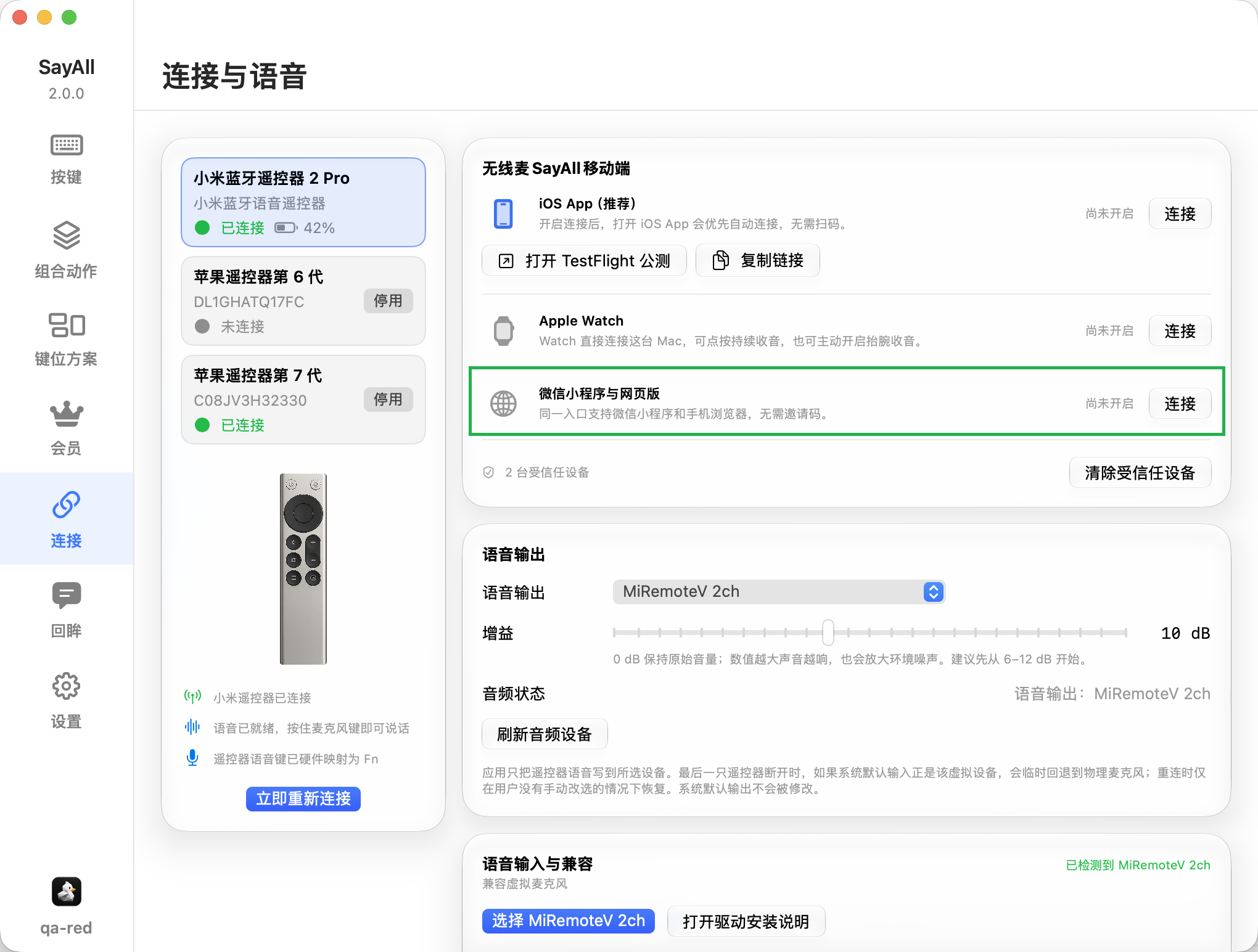
2. Select “Connect”
Select “Connect” on the right side of “WeChat Mini Program and Web”. The Mac app opens the connection window.
3. Scan the Mini Program code with WeChat
Use WeChat to scan the larger Mini Program code in the connection window. WeChat opens the SayAll Mini Program.
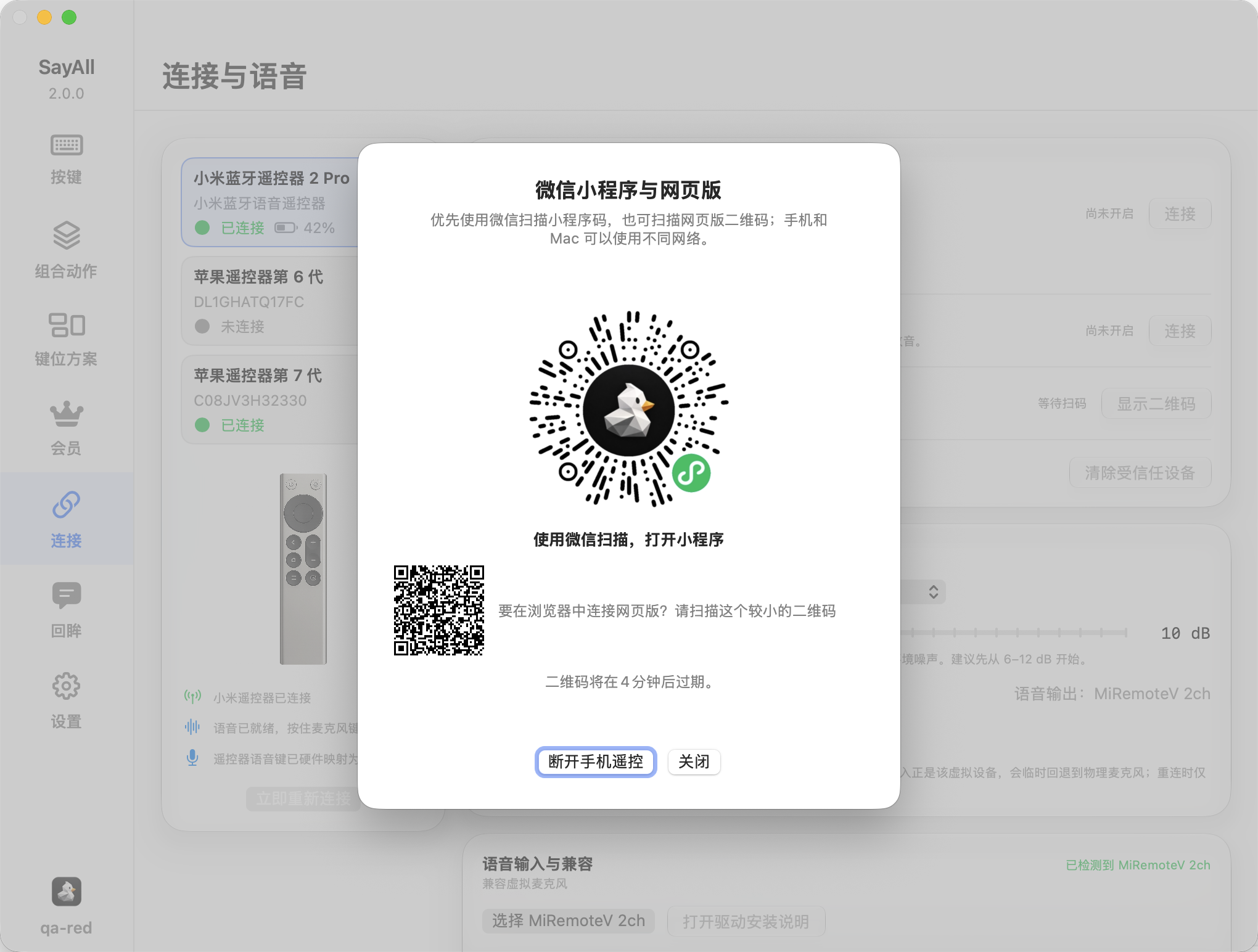
4. Wait for the connection
Return to the Mac app and check the connection status. When the Mini Program shows its controller page, it can send button and voice input.
Tips
- The code expires after the time shown in the window. Generate a new code after it expires.
- Keep the Mac app open until the Mini Program shows the controller page.
- If the connection fails, close the old window and generate a new code.
For help, visit getsayall.com.