
Connection guide
Connect the WeChat Mini Program
This page currently covers the WeChat Mini Program connection. iOS App steps can be added here later.
Current connection method
WeChat Mini Program
Open the Mac app first, then generate a connection code. After the connection is complete, the Mini Program can send button and voice input.
Step one
Open Connection settings
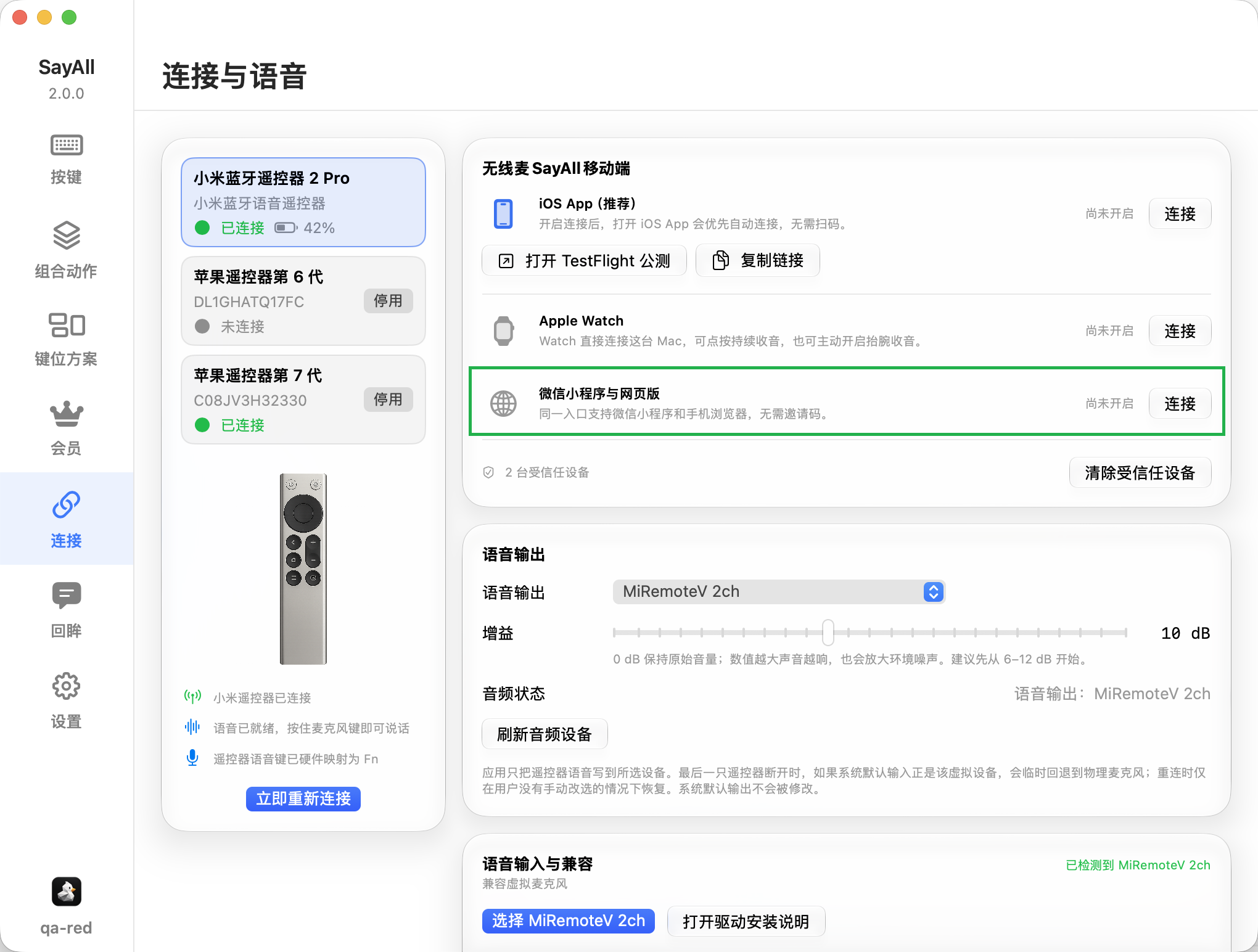
Open “Connection” in the Mac app sidebar. Find “WeChat Mini Program and Web”.
Step two
Select “Connect”
Select “Connect” on the right side of “WeChat Mini Program and Web”. The Mac app opens the connection window.
Step three
Scan the Mini Program code
Use WeChat to scan the larger Mini Program code in the connection window. WeChat opens the SayAll Mini Program.

Step four
Wait for the connection
Return to the Mac app and check the connection status. When the Mini Program shows its controller page, it can send button and voice input.
- Generate a new code after the current code expires.
- Keep the Mac app open until the Mini Program shows the controller page.
- If the connection fails, close the old window and generate a new code.